How to Integrate BitBucket with Yodiz
Yodiz supports WebHook integration with BitBucket. It will enable you to:
- * Track code commits by associating them with bugs or tasks. This will help you identifying which files are added, updated or deleted against a particular bug or task.
- * Mark your task or bug resolved just by following a simple convention when writing your comments for commit.
Integration Steps
- Login to Yodiz and click on SCM Integrations from "more" navigation menu
- Select BitBucket from left
- Go to your account at BitBucket account.
- Select repository setting from top menu.
- From left menu select Hooks.
- Under hooks page select Post from drop down and press add button.
- Copy unique URL and Paste under URL text field and press Save button.
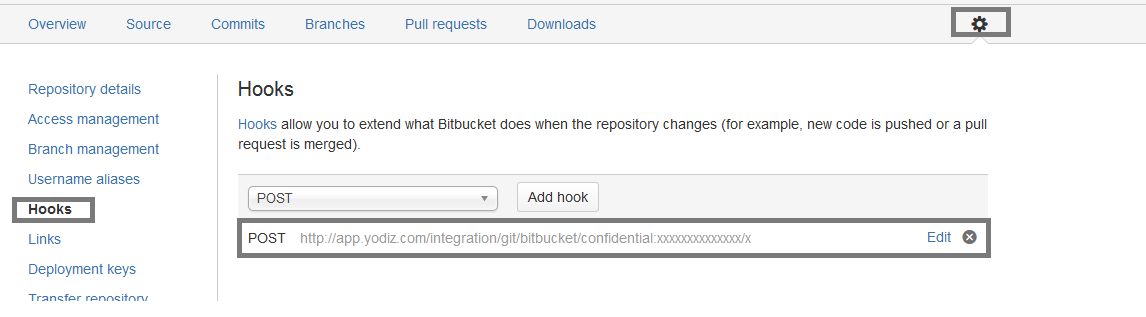
- You are done. If you face any issue, please Contact Support

- © Yodiz 2015