How to Install and use Yodiz Grab Firefox Add-on
Browser Extension
Installation Steps
Simple steps to use Yodiz Grab Firefox Add-on.
-
Download
“Yodiz-Grab.xpi” file from Yodiz -
Open
Firefox browser -
Select
Select menu option “File” and select “Open File” -
File
Select recently downloaded “Yodiz-Grab.xpi” -
Install
Firefox will prompt to “Install”, click on the button. -
Ready
That’s it, you are ready to report bugs and user stories.
Usage
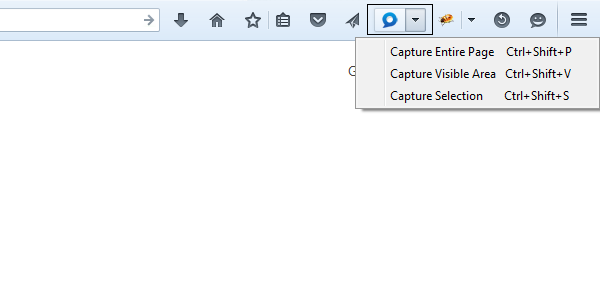
After successful installation you will see following icon on your Firefox browser
- Short keys are shown when you press the arrow key next to icon.
- Click on the icon and it will show an overlay on opened webpage, you can select area with mouse and press “OK” button on top right.
- Other short keys or options will capture visible or whole page.
Drawing tools
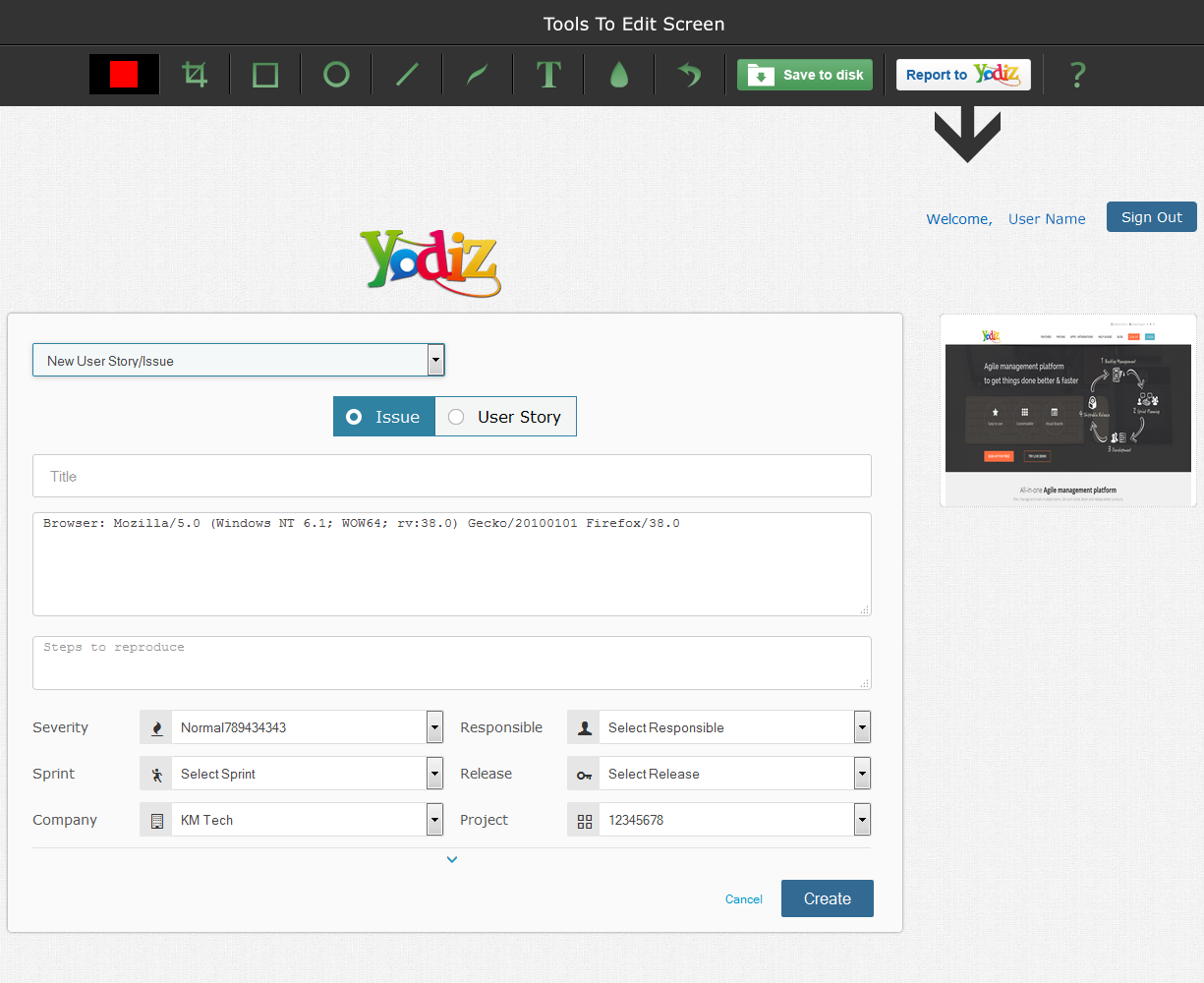
Once image is captured, you can use different drawing tools available at top bar to highlight the problem area or write text. yodiz-grab-tool-bar
- You can use “Save Local” option to save this image to your local drive.
- Click on “Report to Yodiz” button to send this screen shot as attachment to a new Bug or User Story.
- You will be thrown the Yodiz login page, enter your credentials and “Sign In”.
- For Google apps users, please check this article on how to login.
- After successful authentication, you can fill relevant forms fields and when ready press “Create”.

- © Yodiz 2015