
Just click on the Release drop-down from the top header and select “Start New Release”.
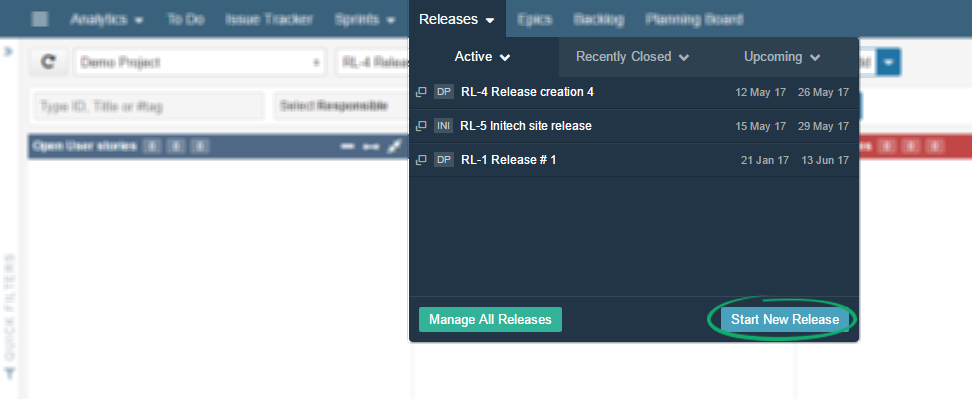
A popup will appear. Fill in details to create that release.
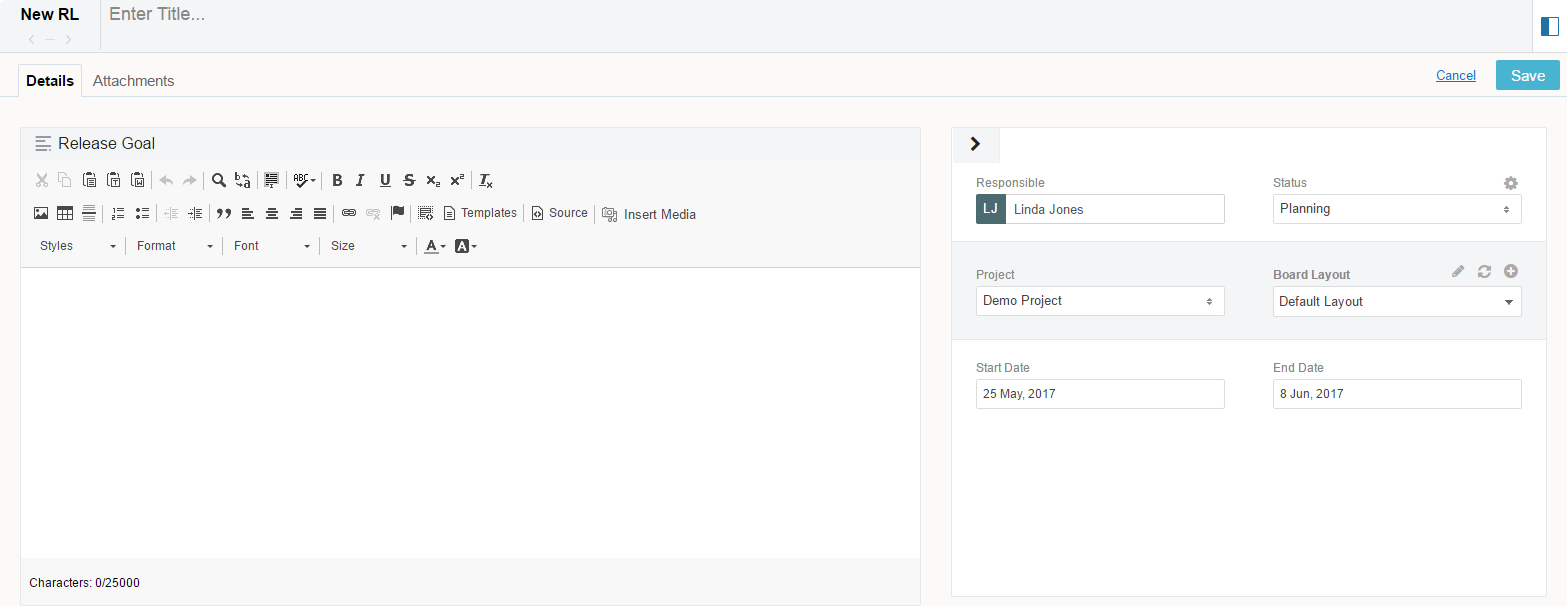
Release contains information:
| Field | Description |
|---|---|
| Title | Name that shortly describes release purpose |
| Responsible | Select Responsible User, usually a Product Owner or Project Manager |
| Status | Assign Status to the Release, to show its readiness |
| Project | Select a project from the Project drop down menu. New Release will be included in this Project. |
| Board Layout | Choose if you want Default Board Layout or Customise using Layout Editor. |
| Start Date | Choose a Start Date for the current Release. |
| End Date | Select a End date for the Release. This is the planned completion date for the Release. |
Add Release contents by using Release board or you can use Planning board to move items from other boards to this release.
